




What is Saviour EA?
Saviour EA is a powerful automated trading Expert Advisor (EA) built exclusively for the MetaTrader 4 (MT4) platform. It uses advanced algorithms to carefully analyze the market and pinpoint key support and resistance levels, ensuring precise entry and exit points. With its smart trading logic, Saviour EA empowers traders to make informed decisions, increase potential profits, and reduce exposure to risk.
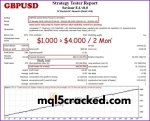
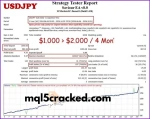
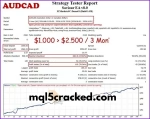
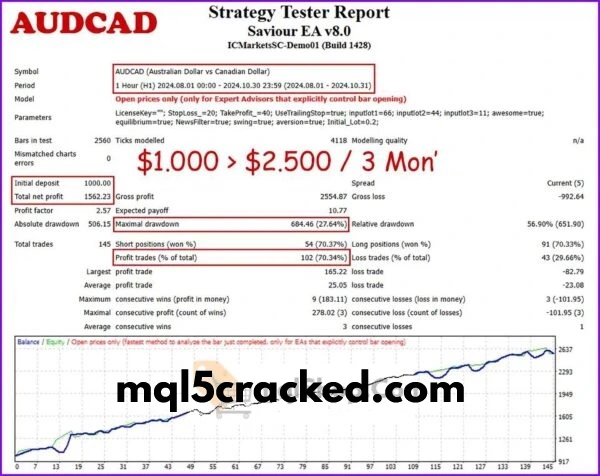
Saviour Strategy Tester Reports
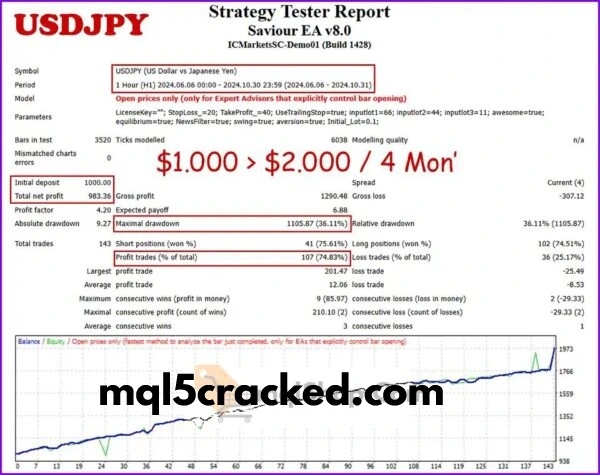
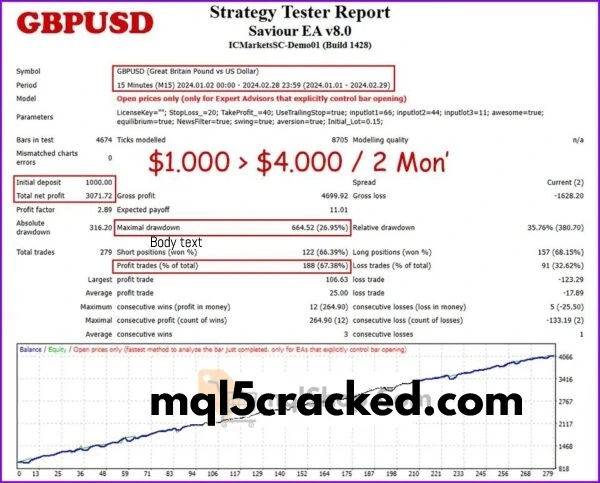
Key Features of Saviour EA
Trading Indicators: Saviour EA v8 comes equipped with three powerful indicators Price Channel, Pivot, and Price Action. These tools work together to provide comprehensive market analysis, helping the EA make smarter trading decisions and improve overall performance.
Grid Strategy: The EA uses an intelligent grid trading method, opening multiple positions strategically. This approach helps to balance trades and minimize potential losses while maximizing opportunities.
Risk Management: While Saviour EA can operate with a minimum deposit of $100, it’s recommended to start with around $1000 or a 100-cent account for better control over risk and drawdowns. This ensures a safer and more consistent trading experience.
Recommended Settings for Saviour EA
Supported Platform: Saviour EA is built specifically for MetaTrader 4 (MT4), ensuring smooth and reliable performance.
Preferred Timeframe: The EA is optimized to work best on the M15 chart, allowing precise and timely trade execution.
Trading Pairs: It supports multiple major currency pairs, including EURUSD, GBPUSD, USDJPY, AUDCAD, GBPNZD, and USDCHF, making it versatile for a variety of trading strategies.
How Saviour EA Works (Strategy Breakdown)
- Intelligent Market Analysis
Saviour EA uses a combination of Price Channel, Pivot, and Price Action indicators to scan the market in real time. This allows it to identify critical support and resistance levels, spot trends, and detect potential reversal points, ensuring every trade is based on solid analysis. - Smart Grid Trading
The EA employs a grid strategy, opening multiple trades strategically to balance profits and losses. This approach helps reduce risk during market fluctuations while creating opportunities to maximize gains. - Effective Risk Management
Saviour EA is designed with safety in mind. While it can start trading with a minimum of $100, using around $1000 or a $100 cent account is recommended for better control over drawdowns and smoother account growth. - Optimized for Performance
The EA works best on the M15 timeframe and is compatible with major currency pairs like EURUSD, GBPUSD, USDJPY, AUDCAD, GBPNZD, and USDCHF. This makes it versatile and suitable for a variety of trading strategies.
Risk Management (Very Important Section)
Risk management is a core part of how Saviour EA operates, designed to protect your account while maximizing potential profits. The EA uses smart trade sizing and carefully calculated grid positions to minimize exposure during market fluctuations.
Although Saviour EA can start trading with as little as $100, it is recommended to begin with $1000 or a 100 cent account for better control over drawdowns. This approach helps you manage risk effectively, even during volatile market conditions, and ensures more stable, consistent growth.
Additionally, the EA’s intelligent algorithms automatically adjust trade entries and exits based on market behavior, helping to avoid unnecessary losses and maintain a balanced trading approach. By combining these strategies, Saviour EA aims to give traders peace of mind while pursuing steady, long-term profits.
Top 4 Alternatives
Download Saviour EA Free (VIP Members Only)
👉 Become a VIP Member & Download xx EA Free
(VIP link here)
FAQ
Q1: What is Saviour EA?
A: Saviour EA is an automated trading Expert Advisor (EA) designed for MetaTrader 4 (MT4). It uses advanced algorithms and smart indicators to analyze the market, identify key levels, and execute trades automatically for consistent results.
Q2: Which currency pairs does Saviour EA support?
A: The EA works with multiple major currency pairs, including EURUSD, GBPUSD, USDJPY, AUDCAD, GBPNZD, and USDCHF, making it versatile for different trading strategies.
Q3: What timeframe is best for trading with Saviour EA?
A: Saviour EA is optimized for the M15 timeframe, providing precise entry and exit points for short- to medium-term trading.
Q4: What is the recommended starting deposit?
A: While the EA can run on a minimum of $100, it is recommended to start with around $1000 or a $100 cent account for better risk management and smoother growth.
Q5: How does the EA manage risk?
A: Saviour EA uses a combination of trade sizing, grid strategy, and intelligent entry/exit points to reduce drawdowns and protect your account, even in volatile market conditions.
Q6: What strategy does Saviour EA use?
A: The EA combines Price Channel, Pivot, and Price Action indicators along with a grid trading strategy. This approach allows it to identify trends, support/resistance levels, and execute multiple trades strategically to maximize profits while minimizing risk.
Q7: Is Saviour EA suitable for beginners?
A: Yes. The EA is fully automated, making it beginner-friendly. It handles market analysis, entries, exits, and risk management, allowing new traders to participate without needing advanced trading knowledge.
Q8: Can I use Saviour EA with any broker?
A: Saviour EA is compatible with most brokers that support MetaTrader 4, but it’s recommended to choose a reliable broker with low spreads and stable execution for the best results.
Q9: How often should I monitor the EA?
A: Since Saviour EA is fully automated, you don’t need to watch the market constantly. However, periodic checks are recommended to ensure the EA is running smoothly and your account is performing as expected.
Q10: How can I maximize profits using Saviour EA?
A: Following the recommended deposit guidelines, using supported currency pairs, and trading on the optimized M15 timeframe are key. Combining these with proper patience and allowing the EA to operate without interference can help achieve consistent results.


Best XAU/USD Forex Expert Advisors – Combo Pack
In stock

Alpha Scalper Pro EA Version 1.0 MT5 (Original version)
In stock

Trade Assistant EA MT4 – Professional Trade Management & Risk Control Tool
In stock

Reviews
Clear filtersThere are no reviews yet.