




Introduction about NorthEastWay
NorthEastWay MT5 is a fully automated trading system designed to trade pullbacks in the Forex market. It focuses on taking advantage of price retracements that often happen after a strong move up or down.
The strategy is built around a common market behavior: after a sharp price movement in one direction, the market often pulls back before continuing or reversing. The system automatically identifies these opportunities and opens trades based on this pullback pattern.
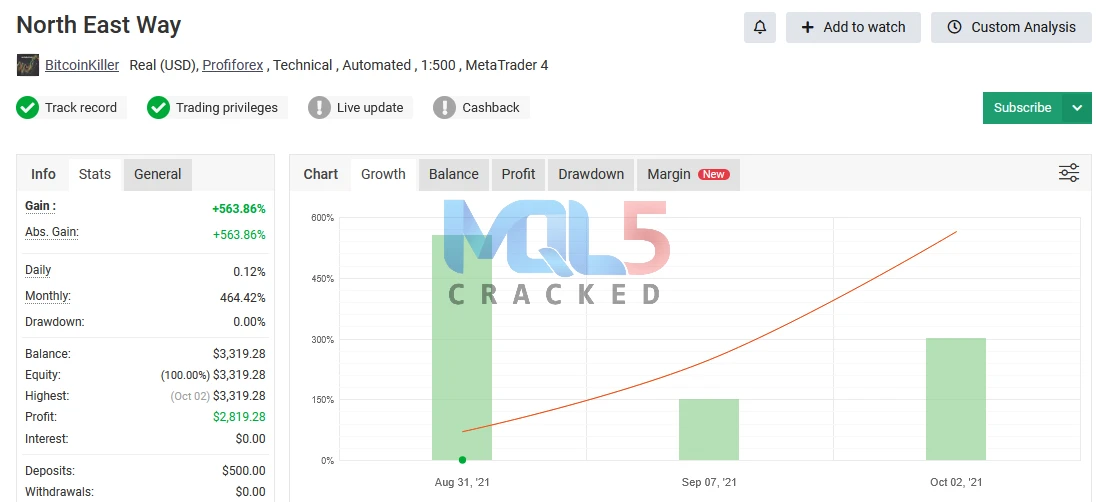
📊 Myfxbook Verified Performance (Live Account)
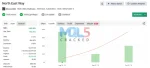
- Total Gain: +563.86%
- Maximum Drawdown: 0%
- Total Profit: $2,819.28
- Initial Deposit: $500
Starting with a $500 deposit, the system generated $2,819.28 in profit, achieving a total growth of 563.86% with no recorded drawdown during the tracked period.
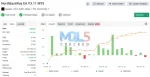
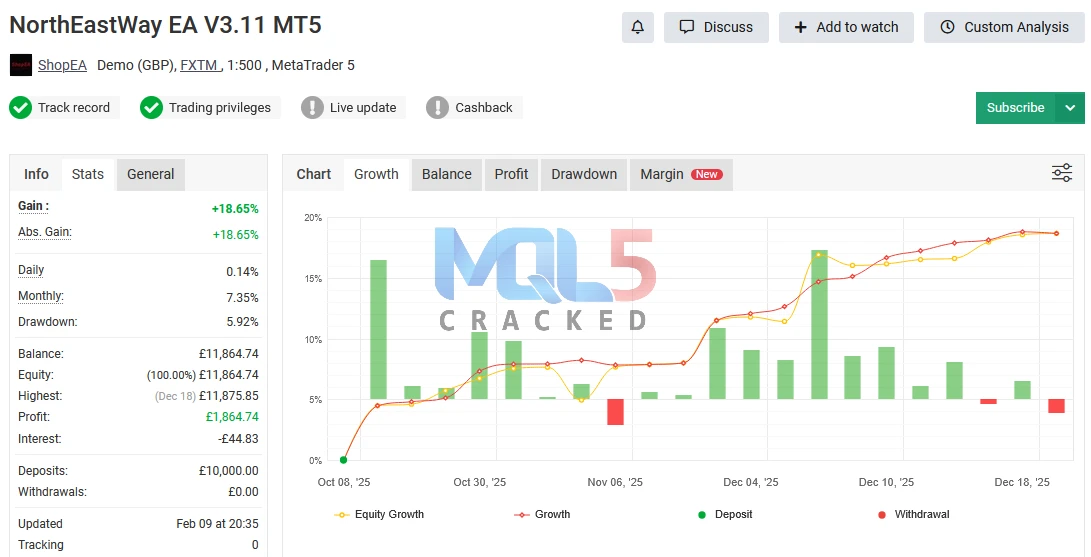
- Total Gain: +18.65%
- Maximum Drawdown: 5.92%
- Total Profit: €1,864.74
- Initial Deposit: €10,000
With a starting capital of €10,000, the system generated €1,864.74 in profit, achieving an overall growth of 18.65% while maintaining a controlled drawdown of 5.92%.
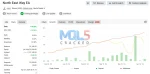
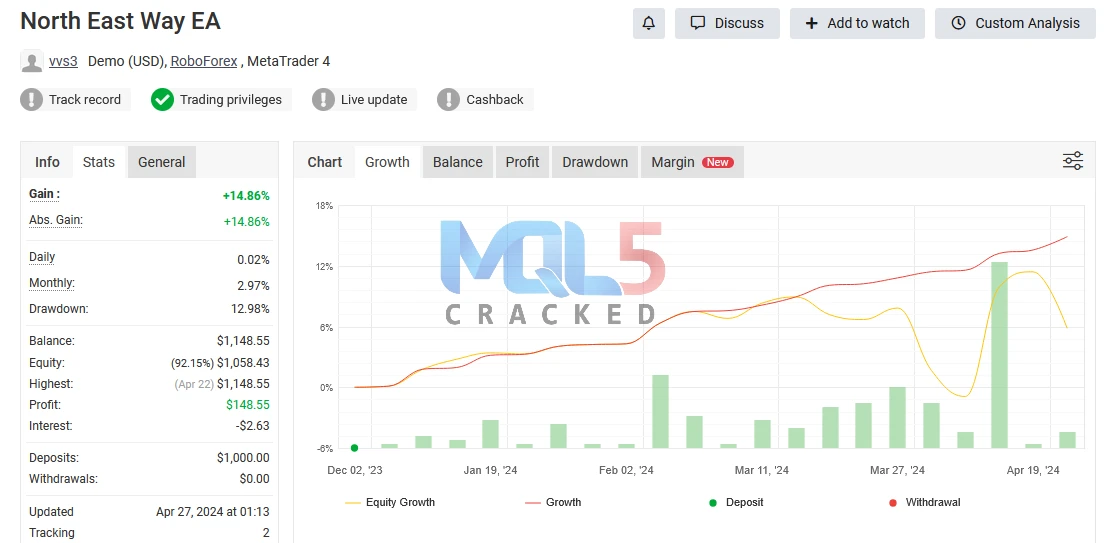
- Total Gain: +14.86%
- Maximum Drawdown: 12.98%
- Total Profit: $148.55
- Initial Deposit: $1,000
Starting with $1,000, the system produced a profit of $148.55, delivering a 14.86% return while experiencing a maximum drawdown of 12.98%.
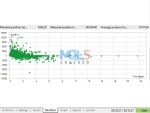
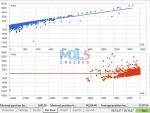
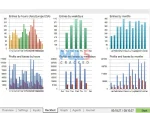
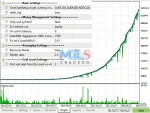
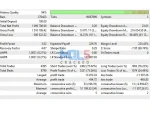
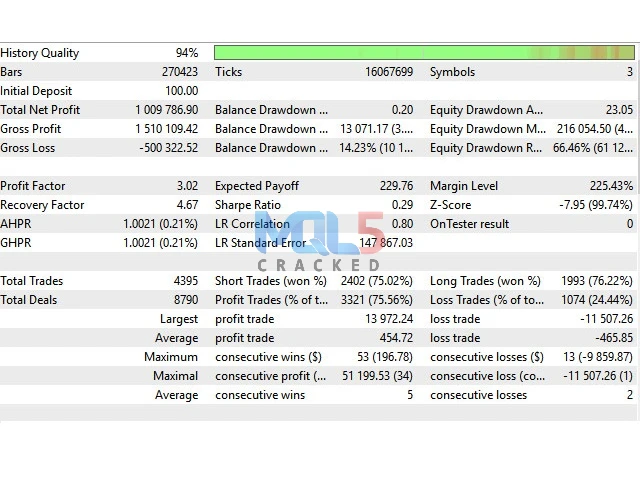
NorthEastWay MT5 – Backtesting Results
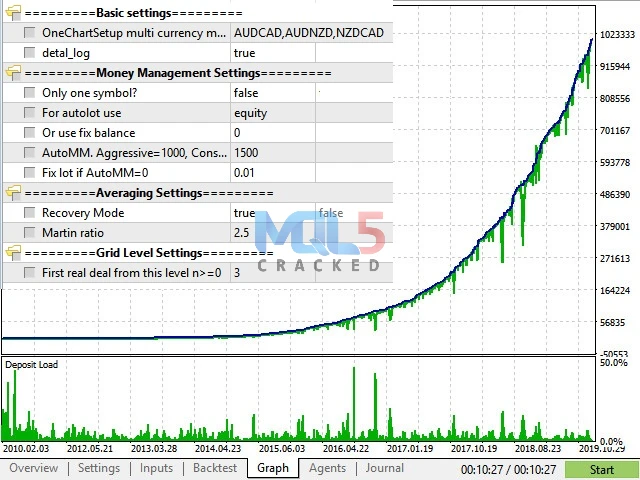
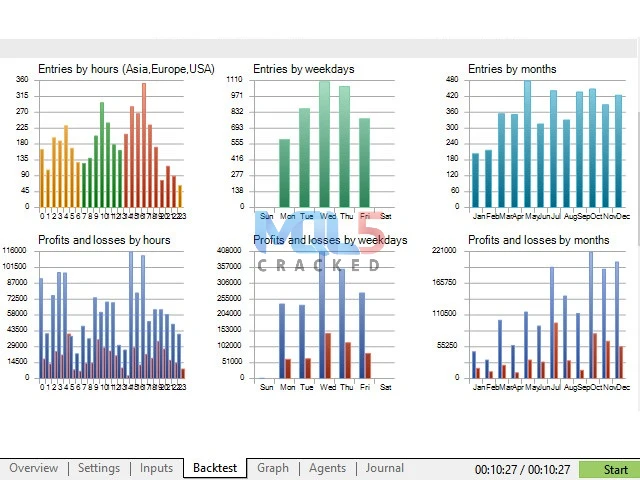
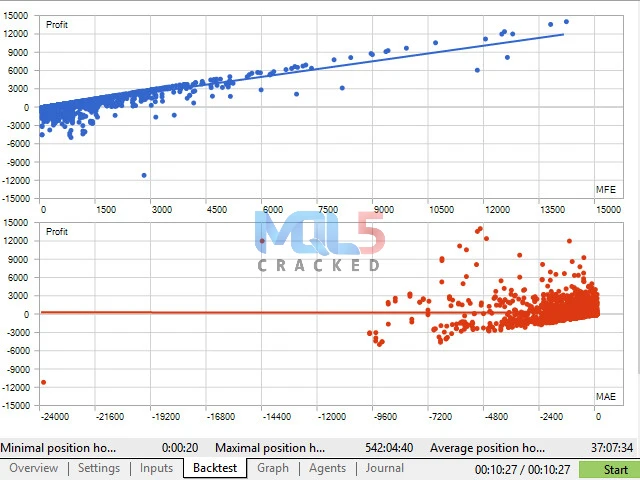
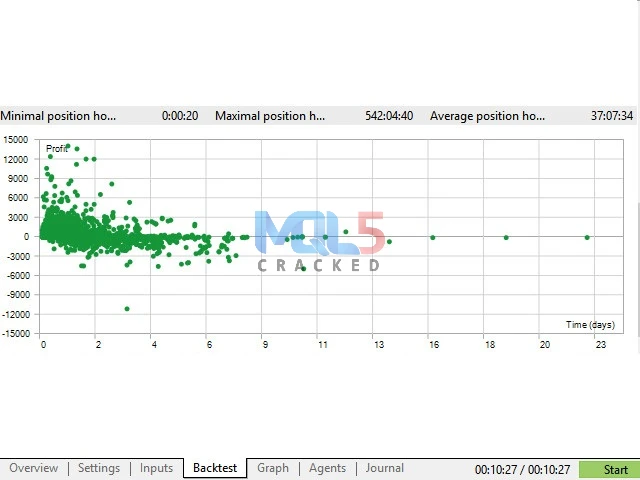
Key Features
- Advanced Pullback Strategy:
Designed for MetaTrader 5, NorthEastWay MT5 focuses on trading price pullbacks after strong market moves. - Smart Entry Logic:
Identifies overextended price levels and automatically places trades near potential reversal zones. - Optimized for Key Pairs:
Performs especially well on AUDCAD, AUDNZD, and NZDCAD. - One Chart Multi-Currency Setup:
Allows traders to manage multiple currency pairs from a single chart for easier operation. - Adaptive Volatility Control:
Adjusts to changing market conditions to help maintain stable and controlled drawdown. - Diversification Benefits:
Trades multiple pairs to reduce reliance on a single market or setup. - Broker-Friendly Design:
Built to perform consistently with minimal sensitivity to broker conditions. - Extensive Testing & Validation:
Developed using years of backtesting and real-market performance data. - Dynamic Risk Management:
Incorporates flexible risk controls to support long-term account growth. - Suitable for All Traders:
Designed for both professional and retail traders seeking an automated trading solution.
Recommended Settings
Platform: Designed for MetaTrader 5 (MT5).
Timeframe: Operates on the M15 (15-minute) chart.
Minimum Deposit: Recommended starting balance of $1,000.
Leverage: Suggested leverage of 1:100 or higher.
Fully Automated: The Expert Advisor trades 100% automatically with no manual intervention required.
Broker Tolerance: Built to perform consistently and is not highly sensitive to spread, slippage, or other broker-related factors.
OneChartSetup Feature: Allows you to run and manage all supported currency pairs from a single M15 chart.
Currency Pairs
Timeframe:
- M15 (15-minute chart)
Main currency pairs:
- AUDNZD
- NZDCAD
- AUDCAD
These pairs are specifically chosen because they tend to show clear and consistent pullback movements.
Additional supported pairs:
- EURUSD
- USDCAD
- GBPUSD
- EURCAD
- EURGBP
- GBPCAD
The system runs entirely on MetaTrader 5 (MT5), allowing traders to automate their strategy without manual intervention.
NorthEastWay MT5 – Backtesting Guidelines
- Testing Mode:
Use the Multi-Currency mode in the MetaTrader 5 Strategy Tester to evaluate the EA across all recommended currency pairs at the same time. - Timeframe:
Run all tests strictly on the M15 (15-minute) timeframe. - Pairs to Include:
Test on all recommended pairs to accurately reflect real trading conditions and diversification. - Long-Term Testing:
Perform backtests over a 5 to 10-year period to properly assess performance. - Stability Evaluation:
Long-term testing helps demonstrate how the EA handles different market environments, including high volatility, trends, ranges, and economic events. - Goal:
Confirm the system’s consistency, risk control, and overall stability across various markets
How to Install and Run NorthEastWay MT5 (With DLL)
1️⃣ Download the Files
- Download the EA file and the DLL file.
- If your antivirus or Windows Defender blocks the file, it may be because some EAs use external DLL components.
- In this case, temporarily disable antivirus or Defender protection to complete the download.
2️⃣ Install the EA in MT5
- Open MetaTrader 5.
- Click File → Open Data Folder.
- Go to MQL5 → Experts.
- Copy the EA file into the Experts folder.
- If there is a DLL file, place it inside the MQL5 → Libraries folder.
- Restart MT5.
3️⃣ Enable DLL Imports
- In MT5, go to Tools → Options → Expert Advisors.
- Check “Allow DLL imports”.
- Click OK.
4️⃣ Attach the EA to Chart
- Open an M15 chart.
- Drag the EA from the Navigator panel onto the chart.
- Make sure:
- ✅ “Allow Algo Trading” is enabled
- ✅ “Allow DLL imports” is checked in EA settings
- Click OK.
5️⃣ Using a VPS (Recommended)
- It is recommended to run the EA on a VPS for 24/7 trading.
- If needed, disable antivirus/Defender on the VPS before installing.
- Once installed and running, you typically won’t need to repeat the process each time you log in.
- If the EA version does not include a DLL, you do not need to disable antivirus.
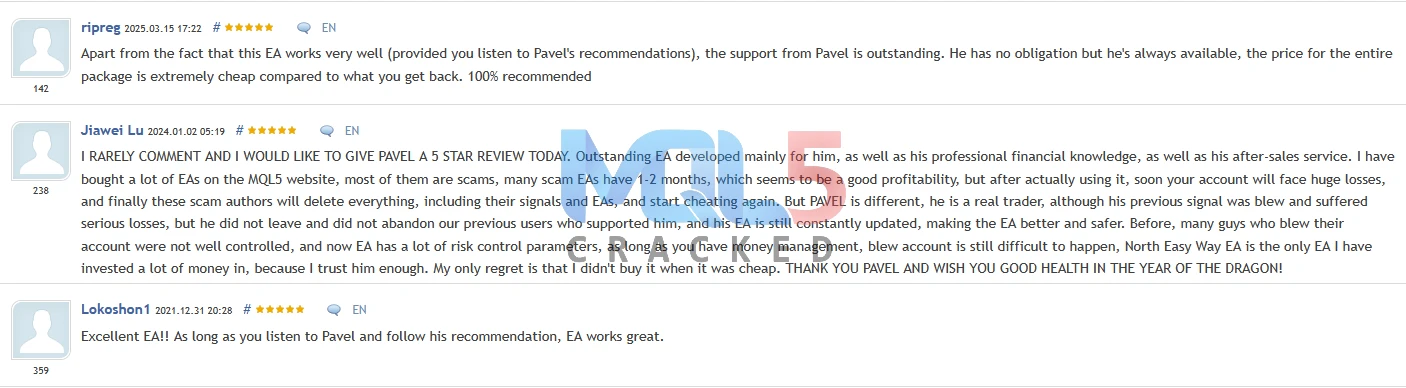
What users say about the EA
🔍 Top Alternatives
Download the EA for Free (VIP Members Only)
VIP membership unlocks:
- Unlimited EA downloads
- MT4 + MT5 systems
- Premium indicators
- Lifetime updates
- No restrictions
- Priority support
- Instant access to 200+ trading robots
👉 Become a VIP Member & Download Maros EA Free
❓ Frequently Asked Questions (FAQ)
1️⃣ What is NorthEastWay MT5?
NorthEastWay MT5 is a fully automated trading robot (Expert Advisor) designed for MetaTrader 5. It trades pullbacks automatically without manual intervention.
2️⃣ Which currency pairs does it work best on?
The EA is optimized for:
- AUDNZD
- NZDCAD
- AUDCAD
It may also support additional major and cross pairs depending on settings.
3️⃣ What timeframe should I use?
The EA is designed to run on the M15 (15-minute) timeframe only.
4️⃣ What is the minimum recommended deposit?
The recommended minimum deposit is $1,000, though it may run on different balances depending on risk settings.
5️⃣ What leverage is recommended?
A leverage of 1:100 or higher is recommended for optimal performance.
6️⃣ Is the EA fully automated?
Yes. The EA trades 100% automatically once installed and configured correctly.
7️⃣ Does it require DLL imports?
Some versions may use a DLL file. If so, you must enable “Allow DLL imports” in MT5 settings.
8️⃣ Can I run multiple pairs at the same time?
Yes. With the OneChartSetup, you can manage multiple pairs from a single M15 chart.
9️⃣ Is the EA sensitive to broker conditions?
The EA is designed to work with most brokers and is not highly sensitive to spread or slippage. However, using a reliable broker is always recommended.
🔟 Should I use a VPS?
Yes. A VPS is recommended to ensure stable 24/7 operation without interruptions.

Best XAU/USD Forex Expert Advisors – Combo Pack
In stock

AI Gen XII MT4 v3.0 1441+ for XAUUSD (GOLD) Trading
In stock


Reviews
Clear filtersThere are no reviews yet.