




Forex Vzlomshik Pro EA is a powerful and fully automated Expert Advisor (EA) built for MetaTrader 4 (MT4), offering a unique blend of advanced features and multi-strategy functionality. Whether you’re a grid trader, scalper, or prefer a fixed dollar target profit system, this EA adapts to your style, giving you full control over how you trade.
Engineered for traders who demand performance and precision, Forex Vzlomshik Pro EA combines flexible strategy execution with robust risk management, deep customization options, and intelligent safety filters. It’s built-in turbo logic ensures optimized trade timing, while the advanced money management system helps safeguard your capital during volatile market conditions.
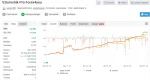
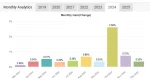
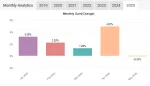
With verified performance metrics available on MyFxBook, Forex Vzlomshik Pro EA stands as a reliable choice for traders seeking consistent and automated profits in the forex market.
Top EAs for EURUSD – Download
Top Forex Robots for Automated Trading – View
Key Features
✅ Multi-Strategy Engine
- Runs three independent trading systems simultaneously
- Each strategy uses its own Magic Number, trade limit, and take-profit logic
- Designed to work together or independently, providing consistent opportunity across different market conditions
✅ Strategic Flexibility
- Combines grid trading, scalping, and dollar-based profit targeting
- Ensures effective diversification to adapt to varying market volatility and trends
✅ Advanced Configuration Options
- TurboMode: Enables aggressive market entries for high volatility conditions
- PipStarter: Sets the minimum distance (in pips) to trigger a new grid or recovery trade
- Booster: Multiplies lot sizes in grid setups to accelerate recovery and potential profit
✅ Smart Strategy Logic
- Grid-based position management with calculated scaling
- Optional TurboMode for faster execution when desired
- Independent trade objectives across all three systems allow tailored risk and reward settings
✅ Precision Risk Management
- Supports both manual and automatic lot sizing
- Customizable take profit options: fixed pips or dollar-based targets
- Individual trade limits per strategy
- Integrated safety filters to prevent overexposure and manage drawdown
Trading Specifications
📌 Platform Compatibility
- Designed exclusively for MetaTrader 4 (MT4)
- Simple to install with included preset files for optimal settings
📈 Supported Currency Pairs
- Recommended Pair: EURUSD
- Other Supported Pairs: GBPUSD, USDCAD, USDJPY
- Optimized primarily for major forex pairs with stable spreads and liquidity
🕒 Timeframe
- H1 (1-Hour) is the recommended timeframe
- Custom timeframes are possible with user configuration
- Pre-configured presets make setup easy for beginners and advanced users alike
💰 Minimum Deposit
- $500–$1,000 is the recommended starting capital
- Ensures proper trade execution and risk control when using multi-strategy trading
⚖️ Leverage
- 1:500 leverage used in the verified MyFxBook account
- Higher leverage enhances profit potential but also increases risk, so proper risk management is crucial
⏰ Trading Hours
- Operates 24/5 fully automated, requiring no manual intervention
- Suitable for traders who want hands-free operation across all market sessions
🏦 Broker Recommendations
- Compatible with major brokers, including:
- Exness – known for tight spreads and flexible leverage
- HTFX – verified compatible with optimal execution
- Ensure your broker offers fast execution, low spreads, and no trading restrictions (like FIFO or high slippage)
BackTest Reports

MyFxBook Signal Reports


How to Install and Set Up
🖥️ Step 1: Open MetaTrader 4
- Launch your MetaTrader 4 (MT4) platform.
📁 Step 2: Open the Data Folder
- In MT4, click on “File” (top left)
- Select “Open Data Folder.”
📂 Step 3: Copy the EA Files
- Go to the folder: MQL4 > Experts
- Copy and paste the Forex Vzlomshik Pro EA (.ex4 or .mq4 file) into this folder
🔄 Step 4: Refresh or Restart MT4
- Close and reopen MT4
- Or right-click “Expert Advisors” in the Navigator window and choose “Refresh.”
📈 Step 5: Attach the EA to a Chart
- Open a EURUSD H1 chart (recommended pair and timeframe)
- Drag Forex Vzlomshik Pro EA from the Navigator onto the chart
⚙️ Step 6: Enable AutoTrading
- Click the “AutoTrading” button on the top toolbar (make sure it’s green/on)
- In the EA settings window:
- Check “Allow live trading.”
- Load the preset file if available (click “Load” and select it)
💵 Step 7: Set Your Lot Size and Risk
- Adjust your lot size, risk percentage, and strategy settings based on your balance
- Use the default settings or a preset for a quick start
📊 Step 8: Let It Run
- Once set up, the EA will start trading automatically
- You can monitor trades in the “Trade” tab and review activity in the “Experts” and “Journal” tabs
Download FREE from Membership
Yes, you can! Simply join our VIP membership to get free access to this EA and enjoy unlimited downloads of all available tools.
Earn from Forex Vzlomshik Pro EA without trading
Create a video ( I will share the videos ) or blog post about Forex Vzlomshik Pro EA and start earning with every referral.
👉 Tap the link below to join our affiliate program
📩 After joining, send us a message on Telegram to get started.
More Profitable EAs
Why Use MQL5Cracked to Download Expert Advisors and Indicators?
✅ Access to Premium Tools – Without the High Price Tag
✅ Lifetime access after purchase
✅ Free Updates
✅ Free Support through Telegram
✅ Free Coupon codes 10% to 20%
🚀 May the markets be in your favor! 🚀


Best XAU/USD Forex Expert Advisors – Combo Pack
In stock

Three Little Birds MT4 – Build 1422+ Protect, Recover & Grow Your Equity in Any Market
In stock

Gold Garden MT4 v2.1 with SetFiles (Platform build 1441+)
In stock
Reviews
Clear filtersThere are no reviews yet.