




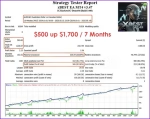


xBest EA MT4 is a fully automated trading solution specifically designed for Forex currency pairs. Developed to optimize performance across various market conditions, this expert advisor has demonstrated strong profitability and consistent results in 2025 forward tests. Its smart strategy execution and adaptive settings make it a reliable tool for traders seeking efficiency, accuracy, and long-term profitability in the Forex market.
Top Forex Robots for Automated Trading – View
Key Features
🔹 Ideal for Both Scalping and Trend Strategies – Designed to handle diverse trading styles, this EA combines smart grid scalping with trend-following techniques using HILO, moving averages, and candle-based filters.
🔹 Low-Risk Configuration with Strong Capital Control – Features advanced equity and profit management tools to reduce drawdowns and support steady, long-term performance.
🔹 Bi-Directional Trading Engine – Enables simultaneous buy and sell operations through independently running strategies, helping diversify exposure and improve win rates.
🔹 Fully Automated with Custom Settings – While it operates automatically, users have complete control over daily profit targets, risk parameters, and system behavior.
🔹 Smart Timing and News Filters – Avoids trading during high-impact news events and unstable market periods, thanks to customizable filters that prioritize capital safety.
🔹 Real-Time Visual Insights – Live on-screen updates and trading data offer full transparency, keeping you informed and in control at every step.
Trading Specifications
Platform Compatibility: MetaTrader 4 (MT4) – Seamlessly integrates with the world’s most trusted trading platform.
Recommended Timeframes: M5, M15, M30, H1 – Optimized for short to mid-term trading strategies.
Supported Currency Pairs: AUDCAD, EURUSD, and other major pairs – Versatile across low-spread forex symbols.
Minimum Deposit Requirement: $500 – Ensures proper lot allocation and grid stability.
Suggested Leverage: 1:100 or higher – Allows better capital efficiency and position flexibility.
Automation Level: Fully automated Expert Advisor – No manual intervention required.
VPS Hosting: Optional but recommended – Enhances execution speed and trading reliability.
Performance Overview & Verified Results


How to Install and Set Up
✅ Step 1: Open MetaTrader 4 (MT4)
Launch your MT4 trading platform.
✅ Step 2: Open the Data Folder
In MT4, click File → Open Data Folder.
✅ Step 3: Copy the EA File
Inside the Data Folder, go to:
MQL4 → Experts
Copy the xBest EA.ex4 file into this folder.
✅ Step 4: Restart MT4
Close and reopen your MT4 platform to load the EA.
✅ Step 5: Attach the EA to a Chart
Open a new chart (e.g., EURUSD, AUDCAD).
Set the timeframe to M15 (recommended).
Drag xBest EA from the Navigator panel onto the chart.
✅ Step 6: Enable AutoTrading
Click the AutoTrading button at the top (it should turn green).
In the EA settings window, check “Allow live trading”.
✅ Step 7: Adjust Settings (Optional)
Use the default settings (recommended for beginners).
Advanced users can customize lot size, grid steps, and filters.
Pricing & What’s Included
$29.99 Only
+ Expert :
- XBEST EA.ex4
- Unlimited / NoDLL
- Free Future Updates
Download FREE from Membership
Instead of purchasing one by one, you can access all the listed EAs and indicators by subscribing to one of our membership plans.
Here are our membership options—choose the most affordable plan and gain VIP access to all our tools.
More Profitable EAs
Why Use MQL5Cracked to Download Expert Advisors and Indicators?
✅ Access to Premium Tools – Without the High Price Tag
✅ Lifetime access after purchase
✅ Free Updates
✅ Free Support through Telegram
✅ Free Coupon codes 10% to 20%
🚀 May the markets be in your favor! 🚀


Three Little Birds MT4 – Build 1422+ Protect, Recover & Grow Your Equity in Any Market
In stock

Cherma EA MT4 & MT5 V1.2 (Build 1441+) + SetFiles Free Download
In stock

Forex GOLD Investor EA – MyFxBook Verified XAUUSD EA with 297% Growth
In stock
Reviews
Clear filtersThere are no reviews yet.