




Product Summary
The Ultimate Breakout System MT4 is a premium Expert Advisor (EA) tailored for precision breakout trading on the MetaTrader 4 platform. Developed over eight years and serving as the core engine behind top-performing EAs like Gold Reaper and Goldtrade Pro, this EA identifies key consolidation zones and executes trades during high-momentum breakout movements with accuracy and reliability.
Built with robust risk controls and a no-martingale, no-grid structure, it’s ideal for traders looking to pass prop firm challenges like FTMO and MFF. The system supports major Forex pairs and gold (XAUUSD), and trades only during optimal market hours—namely the London and New York sessions—for maximum efficiency.
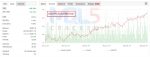
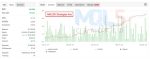
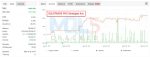
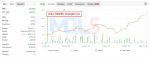
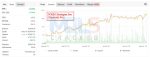
With consistent win rates between 72% and 85%, monthly returns of 10% to 28%, and a drawdown cap under 9%, this EA combines power and safety in one highly adaptable trading tool.
💡 Highlights:
- Advanced Breakout Detection using price action and market structure
- Volatility & Momentum Filter to avoid weak trades
- Session-Based Trading Logic (London & New York sessions)
- No Martingale or Grid Strategy — Fully prop firm compatible
- Multi-Pair Support: EURUSD, GBPUSD, USDJPY, XAUUSD, and more
- Smart Risk Management: Equity protection, drawdown limits, and lot control
- Simple Setup: Includes 100+ optimized set files and easy installation guide
- Performance: 2–5 trades/day, 72–85% win rate, 10–28% monthly ROI
- Backtests & Myfxbook Results Included
🚀 May the markets be in your favor! 🚀
Key Features
🔍 Real-Time Breakout Detection
Harnesses advanced price action and market structure analysis to identify true breakout opportunities as they occur—no lag, just smart execution.
⚡ Built-In Volatility & Momentum Filter
Only acts on high-probability setups by filtering out weak or choppy conditions using real-time volume and momentum analysis.
🕒 Smart Session Filtering
Trades are executed exclusively during peak market hours—such as the London and New York sessions—ensuring maximum liquidity and minimal slippage.
🚫 Risk-Averse Trading Logic
No martingale, no grid. Each trade includes a clearly defined stop loss and take profit, ensuring consistent, rule-based execution—perfect for traders aiming to pass prop firm challenges.
🌍 Multi-Pair Compatibility
Supports trading on major Forex pairs and commodities like EURUSD, GBPUSD, USDJPY, and gold (XAUUSD), offering diversified opportunities.
🛡️ Robust Risk Management Tools
Comes with equity protection, fully adjustable lot sizing, and strict drawdown limits to keep your capital protected at all times.
🏆 Optimized for Prop Firm Challenges
Engineered with the requirements of firms like FTMO, MFF, and others in mind—ensuring your strategy aligns with professional standards.
Strategy Overview
The Ultimate Breakout System is like a smart assistant for your trading—it watches the market 24/7 and takes action only when the conditions are right.
Here’s what it does:
- Waits for Price to Settle (Consolidation)
First, the EA looks for moments when the market is quiet and prices are moving in a narrow range. This is called “consolidation,” and it often happens before big moves. - Detects Breakouts Automatically
When the price finally breaks out of that tight range—either up or down—the EA instantly spots it. These breakouts often lead to strong momentum, which the EA uses to enter a trade. - Checks for Strong Signals
Before opening a trade, the EA checks for confirmation:
✅ Is there enough volume?
✅ Is the momentum strong enough?
✅ Is it the right time of day (like the London or New York session)?
If all these checks pass, only then will it place a trade. - Places Safe, Single Trades
The EA places just one trade per setup with a clearly defined Stop Loss and Take Profit. There’s no risky martingale or doubling down—just smart, clean trades. - Manages Risk Strictly
It protects your capital with built-in risk management features like:- Maximum drawdown limits
- Adjustable lot sizes
- Equity protection systems
- Works with Many Currency Pairs
You can use it on popular Forex pairs like EURUSD, GBPUSD, USDJPY, and even gold (XAUUSD). The EA comes with ready-made settings for each one.
✅ Why Traders Trust It
- Backed by 8 years of development
- Used as the foundation for many top-rated EAs
- Helps pass prop firm challenges
- No emotional trading or guesswork
In short, you set it up once, and it watches the markets for you—entering high-probability breakout trades and managing everything automatically with your capital safety in mind.
Installation Guide
- Download the EA File
After purchase, download the EA file (usually ends with .ex4) and any included set files from your email or account dashboard. - Open MetaTrader 4
Launch your MT4 platform. - Go to the Data Folder
In MT4, click:
File → Open Data Folder - Install the EA File
- Open the folder: MQL4 → Experts
- Copy and paste the EA file into the Experts folder.
- Install the Set Files (Optional)
- Open the folder: MQL4 → Presets
- Paste the .set files here if included.
- Restart MetaTrader 4
Close and reopen MT4 so it detects the new files. - Attach the EA to a Chart
- Open a chart (e.g., XAUUSD or EURUSD)
- Timeframe: As recommended in the set file
- In the Navigator panel, find the EA under “Expert Advisors”
- Drag and drop it onto the chart
- Load a Set File (Optional)
- In the EA settings window, go to the Inputs tab
- Click Load, select a set file, and click OK
- Enable AutoTrading
Make sure the AutoTrading button at the top of MT4 is green (enabled).
✅ That’s it! The EA is now running and will automatically start looking for breakout trades.
Performance Results
Backtest Results


MyFxBook Results


What’s Included
EA files for MetaTrader 4
100+ pre-optimized set files
Step-by-step setup guide
Backtesting instructions
Verified Myfxbook performance links
FAQs
- What is the Ultimate Breakout System MT4?
It’s an automated trading robot (Expert Advisor) designed to trade breakout strategies on MetaTrader 4. It identifies price consolidation zones and places trades when the market breaks out with strong momentum. - Does this EA use martingale or grid strategies?
🚫 No. It uses single-entry trades with a fixed stop loss and take profit—no risky martingale or grid systems are used. - Which currency pairs and timeframes can I use?
It works on major pairs like EURUSD, GBPUSD, USDJPY, and XAUUSD (Gold). Each set file comes with its recommended timeframe (e.g., M15, H1, or Daily). - Can I use this EA to pass prop firm challenges (like FTMO or MFF)?
✅ Yes. The EA is built to meet prop firm rules, including low drawdown, no risky strategies, and consistent performance. - How many trades does it place per day?
On average, it places 2 to 5 trades per day, depending on the market conditions. - What kind of results can I expect?
Backtests show a win rate of 72% to 85%, monthly returns of 10% to 28%, and a maximum drawdown below 9%, depending on the pair and strategy used. - Is installation difficult?
No! It comes with pre-configured set files and a simple step-by-step guide. Most users can install and run the EA in just a few minutes. - Do I need a VPS to run this EA?
A VPS is recommended for 24/5 uptime and faster trade execution, especially if you’re trading on a live account or prop firm. - Can I backtest the EA before using it live?
Yes. The EA supports backtesting. You can load any of the included set files in the Strategy Tester and test with either “1 Minute OHLC” or real tick data. - How do I get updates or support?
You can join the Telegram group for support and updates, or follow the YouTube channel for tutorials. Updates are typically sent via email or made available in your account dashboard.
User Reviews / Testimonials

Download Now –
⏱️ Instant Access | 💳 Secure Checkout | ✅ One-Time Payment
Free Download Now –
You can download it for free from our website. Please get in touch with us if you wish to access the free download. (Conditions apply)
You may also like




Reviews
Clear filtersThere are no reviews yet.