




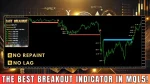
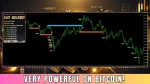
The Easy Breakout Indicator is a technical tool created for traders who use the breakout strategy. It provides Buy and Sell signals when the price breaks through important support and resistance levels. Unlike many breakout indicators, it incorporates extra calculations to verify the validity of these breakouts.
Vendor Website – Link
Key Features
- No Lag, No Repaint: Signals are delivered in real-time, with no delay or repainting of previous signals!
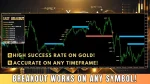
- Versatile Breakouts: Breakouts can happen on any timeframe or symbol, making this indicator both flexible and dependable!
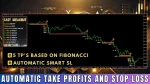
- 5 Fibonacci-Based Take Profits: Each signal automatically generates 5 take profit levels to enhance your trading strategy!
- Automatic Stop Loss: Stop losses are dynamically calculated based on current market conditions, ensuring optimal risk management for each trade!
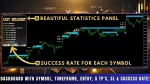
- Success Rate: The dashboard displays the success rate for each symbol, giving you useful insights into the indicator’s historical performance and reliability!
- User-Friendly Interface: The sleek and intuitive design of the dashboard ensures easy navigation and a professional, polished look!
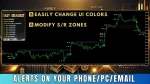
- Alert Notifications: Receive instant alerts with entry points, take profit, and stop loss levels sent directly to your terminal, phone, or email for smooth and efficient trading updates!
Recommendations
Easy Breakout is compatible with any symbol across all timeframes. We personally use it with XAUUSD (gold) on the M1, M5, and M15 timeframes!
Don’t miss out on the opportunity to take your trading to the next level—get Easy Breakout today and start trading with confidence and precision!
BackTest Reports


Trading Indicator Settings Guide
- LookBack & Breakout Settings
- LookBack Bars (0=Disabled): 5000 – Determines how many past signals are displayed. Higher values show more signals.
- Max Breakout Length (Bars): 200 – The maximum number of bars considered for breakout detection.
- Support and Resistance Width (%): 3% – Defines the width of support and resistance zones.
- Min. Number of Tests before Breakout: 2 – Minimum attempts required for the price to break through a level.
- Arrow Settings (Signal Indicators)
- Arrow Size: 3 – Adjusts the size of the arrows for buy and sell signals.
- Up Arrow: DeepSkyBlue – Color representing buy signals.
- Down Arrow: Tomato – Color representing sell signals.
- Zone Settings (Support & Resistance)
- Up Zone (Support Zone): DeepSkyBlue – Indicates the support area.
- Down Zone (Resistance Zone): Tomato – Indicates the resistance area.
- Fill Background: True – Fills the background with zone colors for better visibility.
- Take Profit & Stop Loss Settings
- Show Fibonacci Take Profit Levels: True – Displays 5 Fibonacci-based TP levels.
- Extra Pips Added to SL: 700 – Adds additional pips to the stop loss level.
- TP Color: Khaki – The Color used for displaying take profit levels.
- SL Color: Magenta – The Color used for displaying stop loss levels.
- Alert & Notification Settings
- Enable Pop-up Alerts: True – Receive notifications directly on the MT4/MT5 platform.
- Enable Alerts via Email: True – Sends alerts via email.
- Enable Notifications Mobile: True – Sends push notifications to a mobile device.
- Panel & Display Settings
- Show Panel: True – Displays a statistics dashboard on the chart.
- Panel Size: 250 – Adjusts the size of the dashboard.
- X and Y Shift: Allows movement of the panel on the chart.
- Gap in Pixels: Sets spacing between text elements in the dashboard.
- Font Settings:
- Font Name: Arial Black – Font used for display.
- Font Size: 10 – Adjusts the text size.
- Font Color 1: Yellow – Color used for statistics text.
- Font Color 2: White – Color used for result text.
- Enable Win-Rate: True – Displays the success rate of trades in the dashboard.
Explore Other Profitable EAs
XU-Hybrid V3- Non-repaint indicator MT4
ON Trade Numerology Station MT4

Administrator
Ricky L. Robinson is a forex trader focused on disciplined strategies, market analysis, and consistent results, helping traders navigate the currency markets with confidence.


Reviews
Clear filtersThere are no reviews yet.